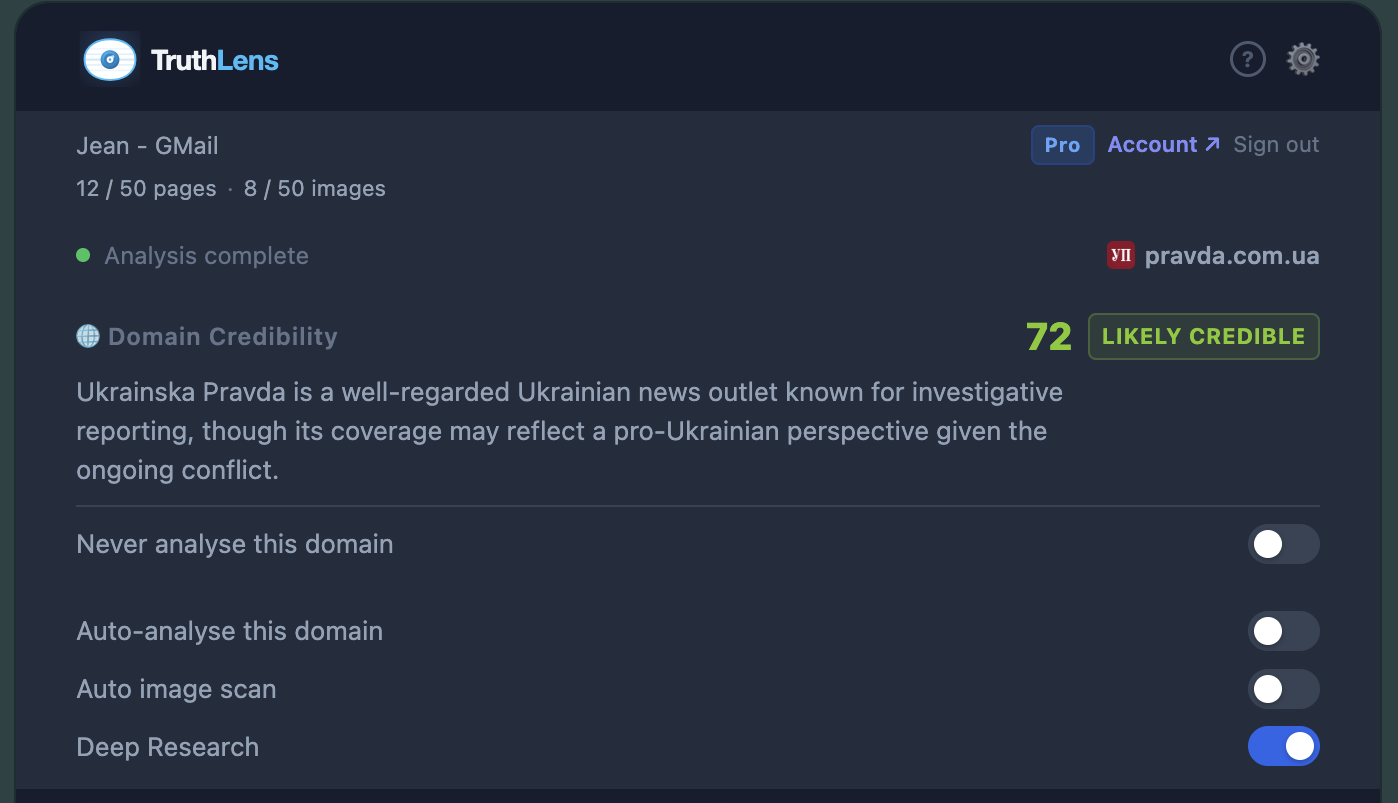
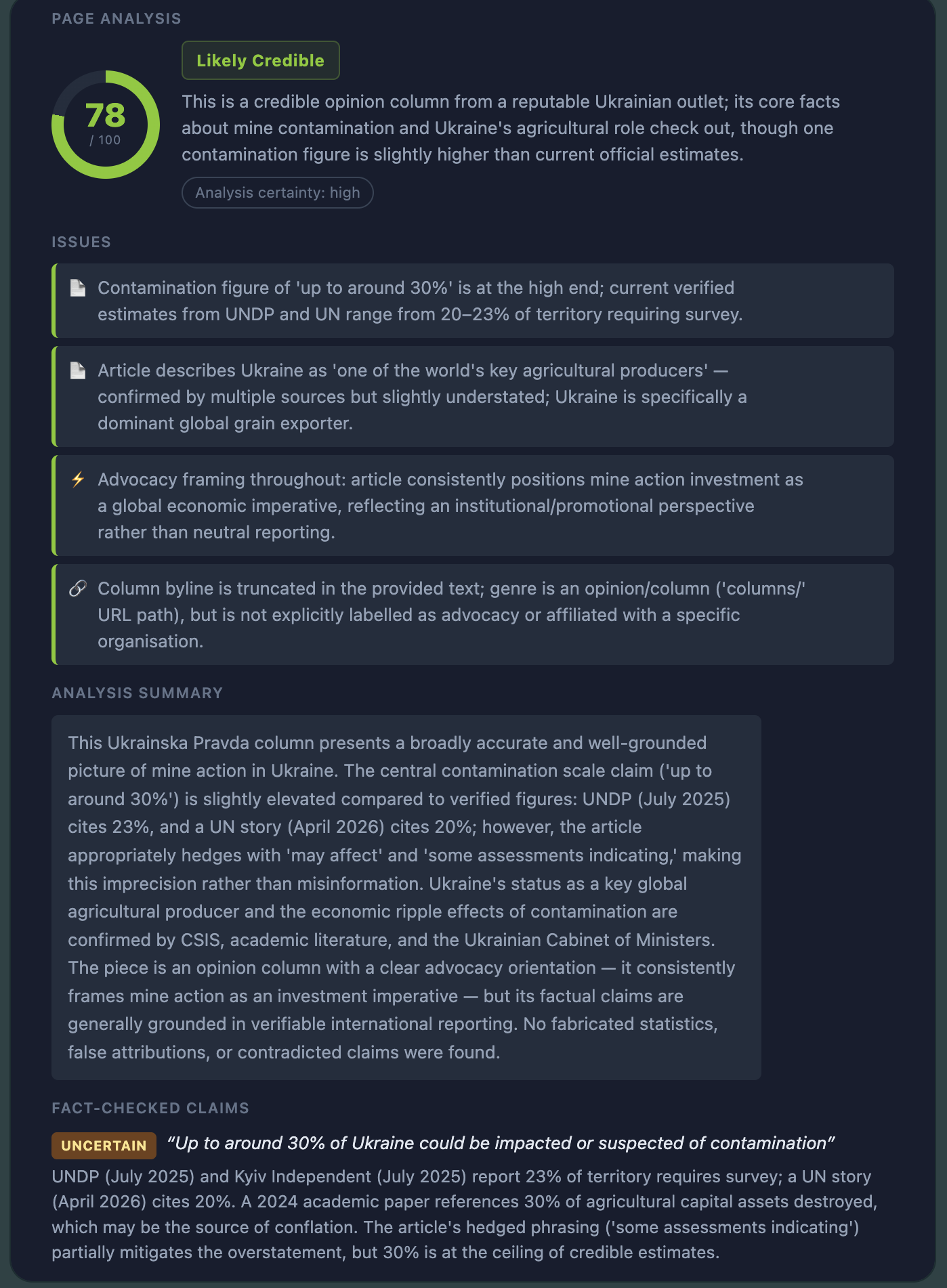
TruthLens uses multiple AI platforms to easily assess domain credibility, detect AI-generated content, deepfakes, and unreliable sources — on any webpage, in seconds.
One click. Instant AI-powered analysis. Know what to trust before you share, react, or believe.
Claude AI reads the page text, checks source credibility, and cross-references claims — then gives you a clear verdict with reasoning and citations.
The moment you land on a page, the domain is scored for credibility — helping you instantly gauge how much to trust the information before you read a word.
Hive AI scans every image on the page for deepfake signatures and misleading AI manipulation. Each analysed image gets its own confidence badge.
Enable auto-analysis per domain and TruthLens will check pages and/or images the moment you arrive — no additional clicking required!
Banking sites, email, and messaging apps are always excluded automatically. No content is ever logged on our servers. Everything else stays on your device.
Sign up, install, and start browsing the web with confidence.
One click to add TruthLens to Chrome — no restart required. Tip: pin the extension by clicking the puzzle-piece icon in Chrome's toolbar and selecting the pin next to TruthLens, so it's always one click away.
Sign up for a free TruthLens account — no credit card needed to get started. Browse the plans and pick the tier that fits your needs. Upgrading to Pro or Platinum? Just add a payment method and you're set in seconds.
From any article, social post, or news site, click the TruthLens toolbar icon. Hit TruthLens this Page to analyse, or TruthLens all Images to scan for AI-generated visuals. You can also right-click directly on any image to get an instant analysis for that image.
Within seconds you'll see a credibility assessment with sourced reasoning, red flags, and confidence scores for every image — streamed live as Claude thinks.
PRICING
Start free. Upgrade when you need more.
|
Free
$0 forever
Spot-check articles and images when something looks off. Create free account |
Most Popular
Pro
CA$10.99
/month
Get more image and in-depth page analysis with stronger AI models. Start 7-day free trial |
Pro+
CA$18
/month
Higher daily limits for power users who browse, verify, and fact-check every day. Start 7-day free trial |
Coming Soon
Platinum
CA$68.99
/month
Power users who need deep analysis, long history, and choice of AI model. |
Coming Soon
Enterprise
Custom
Schools, newsrooms, and teams with admin controls and SLA. |
|
|---|---|---|---|---|---|
| Page Analysis | |||||
| Analyses per month | 15 | 505/day max | 758/day max | 150 | Unlimited |
| AI models |
Claude Haiku
Hive AI
|
Claude Sonnet
Hive AI
|
Claude Sonnet
Hive AI
|
Claude Sonnet + Opus
Google Gemini
Hive AI
|
Custom |
| Domain credibility scoring | Unlimited | Unlimited | Unlimited | Unlimited | Unlimited |
| Image & Video Deepfake Detection (Per Month) | |||||
| Spot-Check Image (right-click) | 5 | 50 | 200 | 500 | Unlimited |
| Auto Image Analysis Across Page | ✗ | Up to Plan Limit | Up to Plan Limit | Up to Plan Limit | Up to Plan Limit |
| Video Analysis Coming Soon | — | — | — | — | — |
| Auto-Analysis | |||||
| Auto-Analyse Page on Arrival | ✗ | Per-domain toggle | Per-domain toggle | Per-domain toggle | Per-domain toggle |
| Auto Image Scan on Page Load | ✗ | Up to Plan Limit | Up to Plan Limit | Up to Plan Limit | Up to Plan Limit |
| History & Cache | |||||
| Analysis Cache Duration | Session only | 7 days | 7 days | 30 days | Custom |
| Usage dashboard | ✗ | ✓ | ✓ | ✓ | ✓ |
| Support | |||||
| Support channel | Community | Priority email | Account manager | ||
| Advanced | |||||
| Developer API Access | ✗ | ✗ | ✗ | ✓ | ✓ |
| Authorized Devices | 2 | 3 (Shared) | 3 (Shared) | 5 (Shared) | Custom |
| Early feature access | ✗ | ✗ | ✗ | ✓ | ✓ |
| Get Started | |||||
| Create free account | Start free trial | Start free trial | |||
All prices in Canadian dollars (CAD) · USD & other currencies accepted at checkout · All plans include a free TruthLens account · No external API keys required · Cancel any time
FAQ
When TruthLens detects that a story involves recent or breaking events, it automatically searches the web for the latest information before forming a verdict. This search can add 30–90 seconds to the analysis but produces a much more accurate result — especially for news that broke after our AI's knowledge cutoff. A notice will appear in the extension while the search is running.
Social media platforms (X/Twitter, Facebook, Instagram, etc.) load images dynamically in ways that prevent the extension from reliably identifying and scanning them automatically. To analyse a specific image on a social platform, right-click the image and choose "TruthLens this Image" from the context menu — this sends that exact image directly to our AI detection pipeline.
No. Page content, screenshots, and images are forwarded directly to Anthropic (Claude) and Hive AI to complete your request and are not stored on TruthLens servers. Your browsing preferences live entirely in Chrome's local storage on your own device. See our Privacy Policy for full details.
TruthLens automatically skips sensitive categories — banking & finance, webmail, medical portals, government sign-in pages, and messaging apps — so your private activity is never sent for analysis. You can also mark any additional domain as "Never analyse" using the toggle inside the extension popup.
Page analysis uses Claude (a large language model) to evaluate the credibility of the text content on the page — checking sourcing, logical consistency, sensationalist framing, and cross-referencing claims against known facts. Image checks use Hive AI's computer-vision model, which is purpose-built to detect AI-generated images and deepfakes at the pixel level. The two pipelines are independent and complementary.
TruthLens doesn't store what you read. Page content, screenshots, and images are forwarded directly to Anthropic and Hive AI to complete your request — we don't log them, and they're never stored on our servers.
Your preferences (which domains you've enabled auto-analysis on) live entirely in Chrome's local storage on your device. Sensitive sites like banking, email, and messaging apps are always excluded, automatically.
Read our full Privacy Policy →Free TruthLens account. No external API keys.
Add to Chrome — It's Free